
Face-to-face training
Online courses provided. Face-to-face kept on track.
Nest Learn provides the online courses ready to assign. You deliver the practical, in-person training; Nest Learn keeps the sessions, bookings, attendance, outcomes and evidence together.
- Schedule sessions across Homes
- Record attendance outcomes
- Attach evidence and make manager corrections
How it works
From scheduled to evidenced
The same four steps whether the trainer is one of your managers or an external provider.
Why booking state is tracked separately
A member of staff waiting for a session date is not the same as a member of staff who is overdue. Most systems collapse the two, and managers end up chasing the wrong people.
- Training Status answers: is this person trained and in date?
- Booking State answers: is there a session for them to attend?
- An unbooked session never reads as completed training
- The dashboard counts Needs booking as its own queue
Both columns sit side by side in the Training Matrix.
Optional
The Nest Learn register
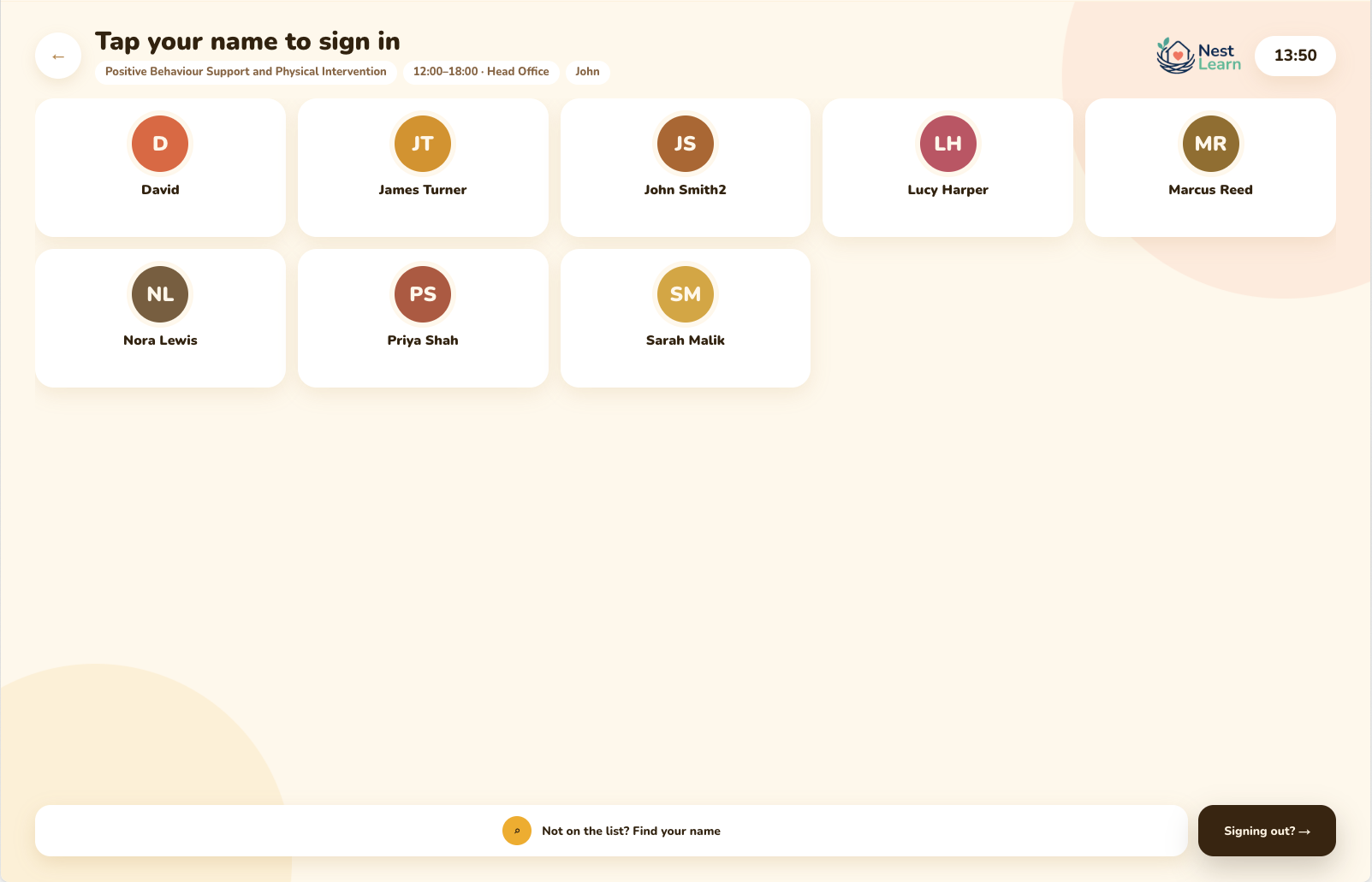
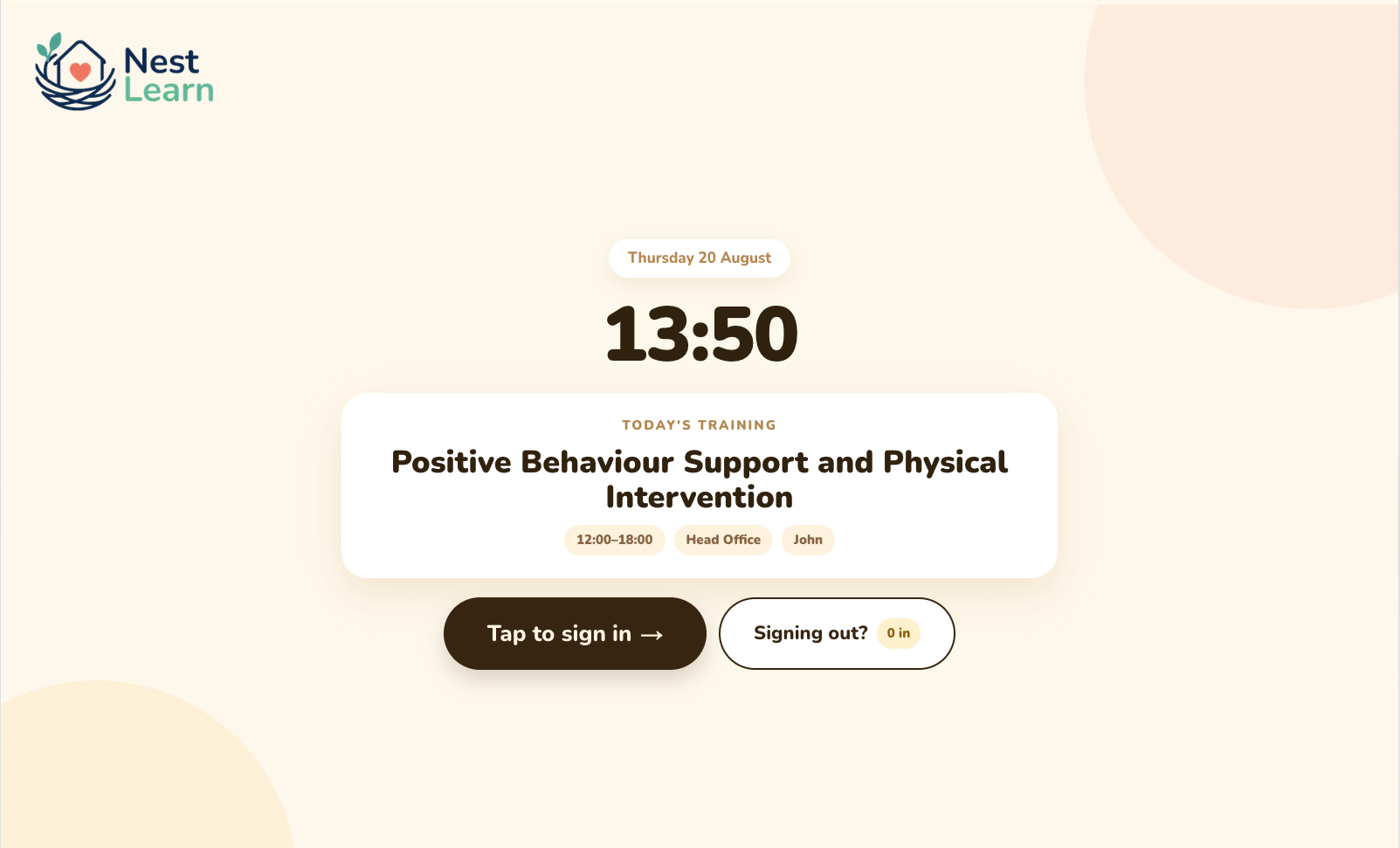
If you host your own in-person training, put a tablet by the door and let staff tap themselves in and out. Courses sync across from Nest Learn, so the register already knows what is on today and who is supposed to be there.
How it works
- It's a web app linked to your Nest Learn account. There's nothing to install, and it runs on an iPad or any tablet
- Sessions sync across, so the register knows the course, the time, the venue and the expected attendees
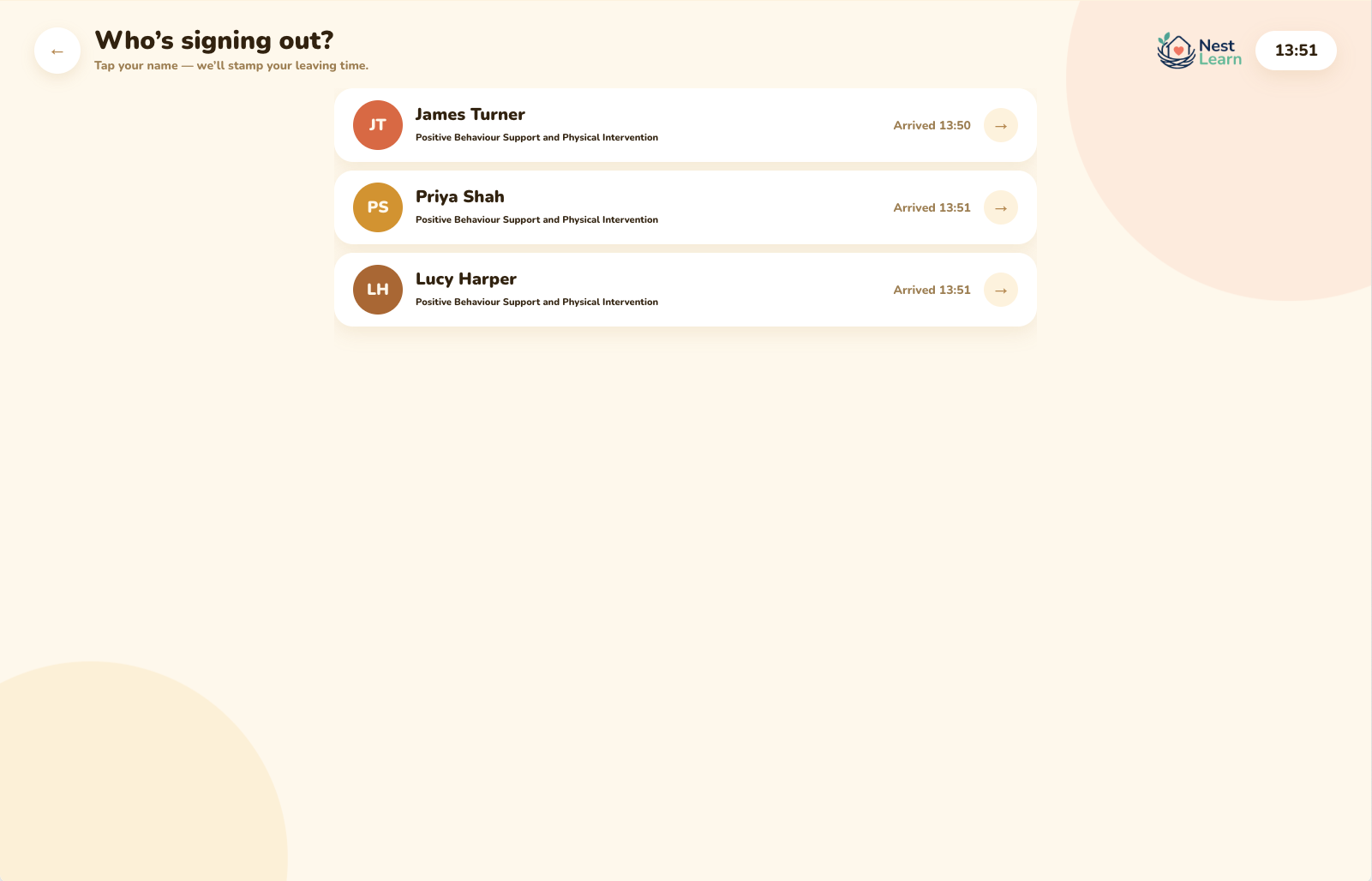
- Staff tap their own name to sign in, and tap it again to sign out
- Anyone not on the list can find their name rather than being turned away
- Attendance lands on the session record without anyone typing up a sheet afterwards
Times you can trust for payroll
Because staff sign out as well as in, each person has an arrival and a leaving time against the session rather than a tick in a box. Managers can amend those times in Nest Learn where something was missed, then verify them, so the hours going to payroll are the hours that were actually attended.
- Arrival and leaving time recorded per person
- Managers amend and verify in Nest Learn, with the change in the audit log
- Verified hours ready to hand to payroll
What gets tracked
Your own training, on the record
Sessions across Homes
Schedule once and cover several Homes, or keep a session local. Venue, time and trainer all sit on the record.
Bookings and reminders
Staff see upcoming sessions in My Training and get a reminder before the date. Managers see who has not been booked yet.
Attendance outcomes
Attended or did not attend, recorded per person. A no-show stays visible instead of quietly counting as trained.
Evidence with revisions
Upload sign-in sheets and external certificates. Replace a wrong file and the previous version is retained with a reason.
Manager corrections
Fix a mistake properly. Who changed what, when and why is captured in the audit log rather than lost.
One matrix, both kinds
In-person sessions and online courses appear in the same Training Matrix, so the training picture is genuinely complete. The optional register keeps it current on the day.
Common questions
Face-to-face questions
Does Nest Learn deliver the face-to-face training?
No. You deliver the practical course; Nest Learn keeps the session, bookings, attendance, outcomes and evidence together.
Can we track sessions run by an external trainer?
Yes. Schedule the session, book the staff, record the outcomes and attach whatever the trainer issues. Nest Learn doesn't need to have provided the course to keep the evidence.
What evidence can be attached to a session?
Sign-in sheets, certificates from external trainers, photographs of flip-chart work, or any other file. Evidence is attached with revision history, so a corrected upload keeps the previous version rather than replacing it silently.
Do we have to use the register?
No. It's there if you host your own sessions and want staff to sign themselves in. Managers can record attendance in Nest Learn afterwards instead, or upload a paper sign-in sheet as evidence.
How does this show up for staff?
In My Training, alongside their online courses: upcoming sessions with date and venue, and a clear next action. Staff never have to understand the manager workflow behind it.
Get started
Every kind of training, one record
Online courses provided, in-person sessions tracked, evidence kept with both. See how it fits the training you already run.